How to Use Coupons: Step-by-Step Guide

Why Coupon Codes Sometimes Fail
A coupon code can fail for several reasons: it may have expired, require a minimum purchase, exclude the items in your cart or be limited to certain accounts. The checkout process itself is usually simple. The harder part is finding a current code and confirming that your items qualify.
Step 1: Find a Current Code
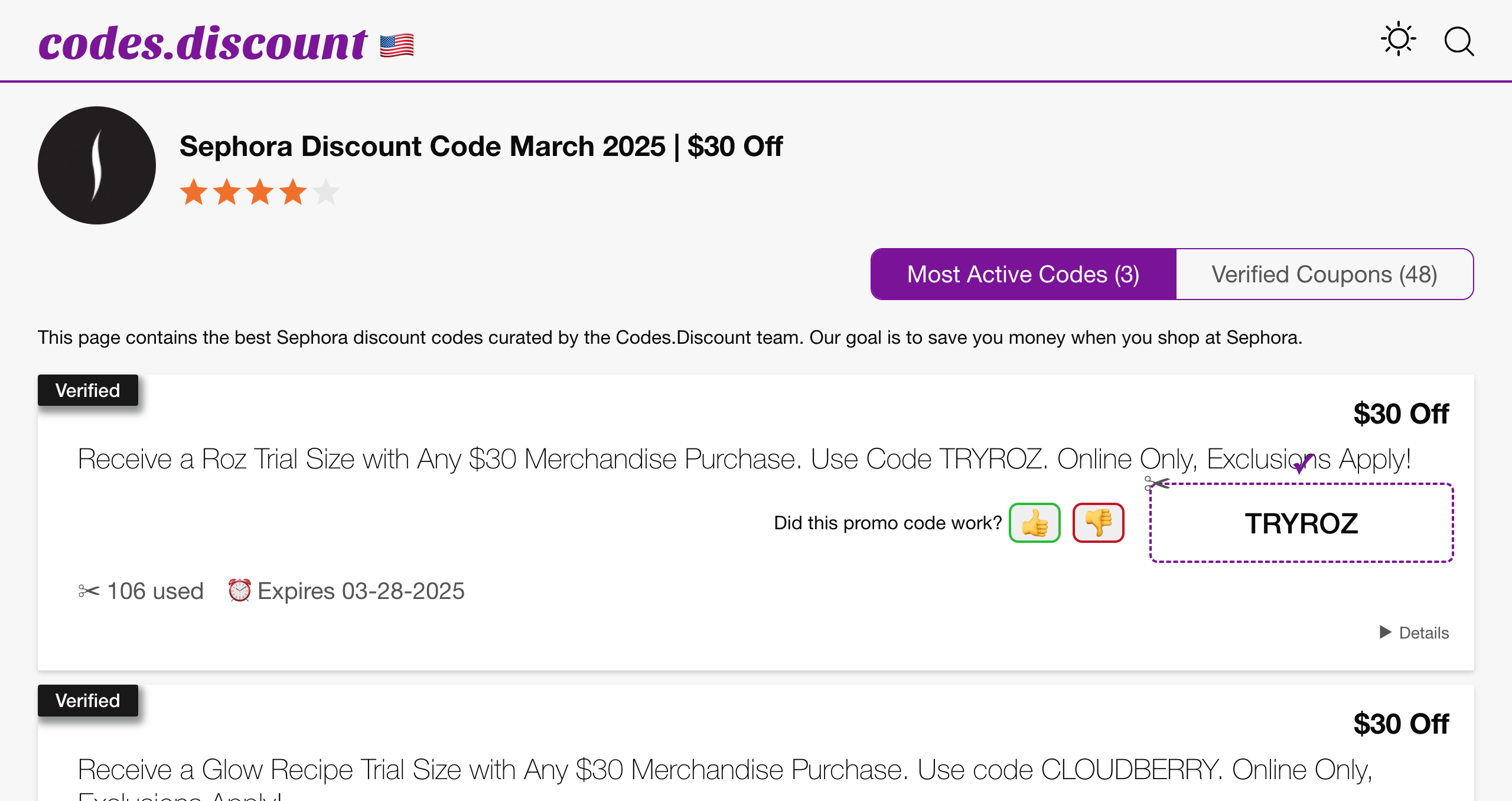
Start with the retailer’s official sources:
- Retailer website: Check the homepage, promotions page and checkout page.
- Email newsletter: Welcome offers and seasonal codes are often sent by email.
- Loyalty program: Members may receive exclusive codes or early access.
- Trusted discount code pages: Compare offers and check the last-updated date.
For Sephora, many promotions are brand-specific, seasonal or limited to Beauty Insider members. Check the offer details before assuming a code will apply to every product.
Step 2: Read the Terms
Before adding items to your cart, check:
- Minimum purchase: Some codes require a specific spend.
- Exclusions: Luxury brands, gift cards and sale items are often excluded.
- Account requirements: Some codes require you to be signed in or enrolled in a loyalty program.
- Expiration date: Confirm the offer is still active.
- One-code rule: Many retailers allow only one promo code per order.
Step 3: Add Eligible Items to Your Cart
- Add the products you plan to buy.
- Confirm that each item qualifies for the offer.
- Check whether free shipping requires a minimum order.
- Review the estimated total before applying the code.
Step 4: Enter the Code at Checkout
- Go to the checkout page and find the promo code field.
- Enter the code exactly as shown.
- Click Apply.
- Confirm that the discount appears in the order summary.
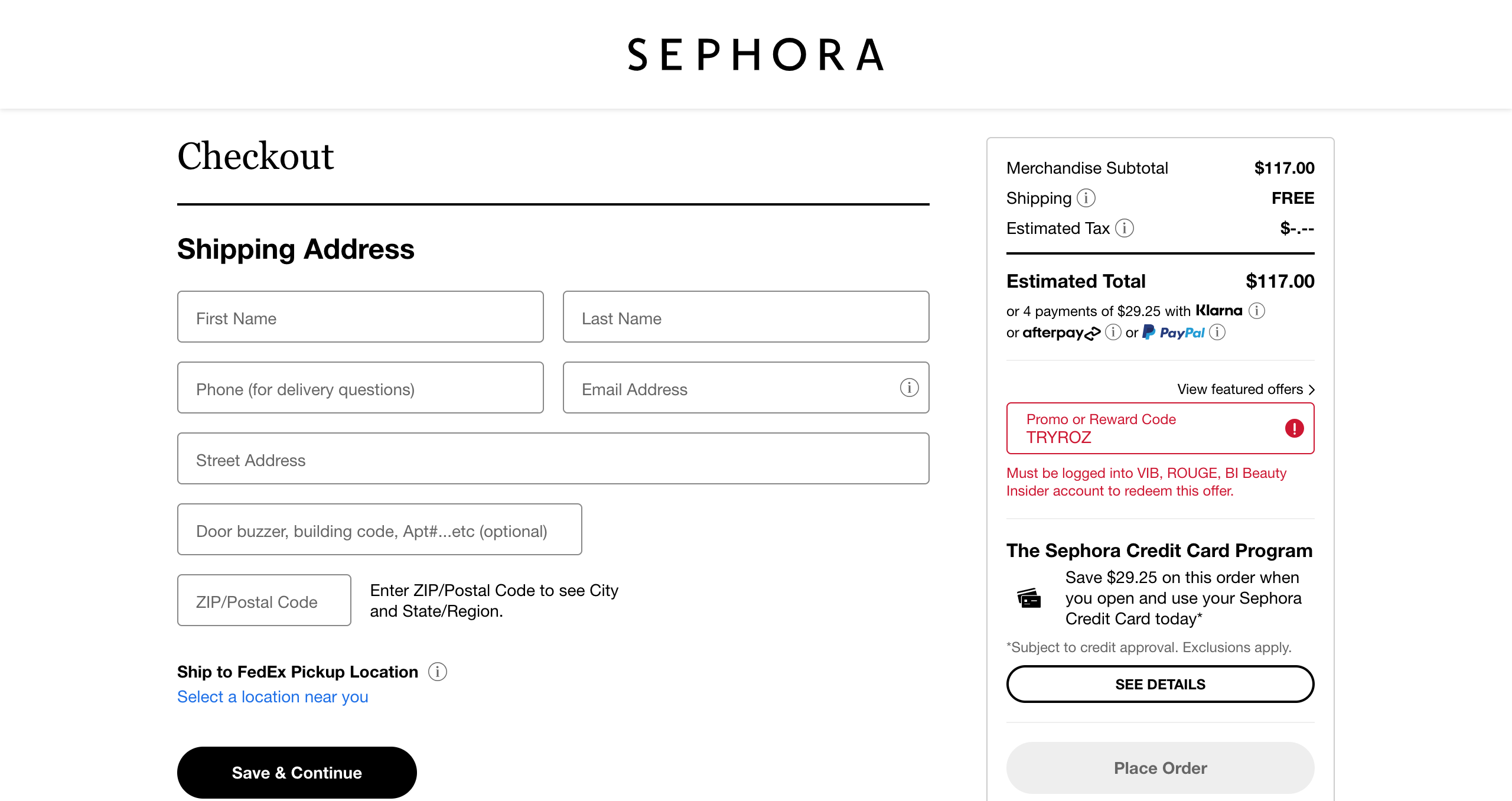
If you see an error, check whether you are signed in, whether your cart meets the minimum purchase and whether any items are excluded.
Step 5: Complete Your Purchase
- Review the final total, including shipping and tax.
- Enter your payment and shipping details.
- Place your order.
Keep the order confirmation in case you need to contact customer service about the discount.
Common Reasons a Code Fails
- The code has expired.
- The cart total is below the minimum purchase.
- The items are excluded from the promotion.
- The code requires a signed-in account or loyalty membership.
- Another code is already applied.
- The code is limited to new customers or a specific region.
Tips for Using Coupon Codes
- Copy and paste the code to avoid typos.
- Check the final price, not just the percentage off.
- Compare the discounted price with other retailers.
- Avoid paying for a coupon or entering payment details into an unverified coupon site.
- Check the return policy before buying final-sale items.
Final Thoughts
Using a coupon code is usually a five-minute process: find a current code, read the terms, add eligible items and apply the code at checkout. If a code does not work, try another current offer or compare the price at another retailer.
For current offers, check our Sephora discount codes and confirm the terms before checkout.
